

Item management
Create, edit and delete the items in your warehouse catalogue.
Item Management is the catalogue of everything your warehouse tracks. Each item carries a name, a category, a VAT rate and a package size, and becomes available to every department that works with stock.
warehouse role.Managing items requires the Warehouse administrator permission. Departments see the catalogue but do not create or delete items here.
How it works
Open Item Management
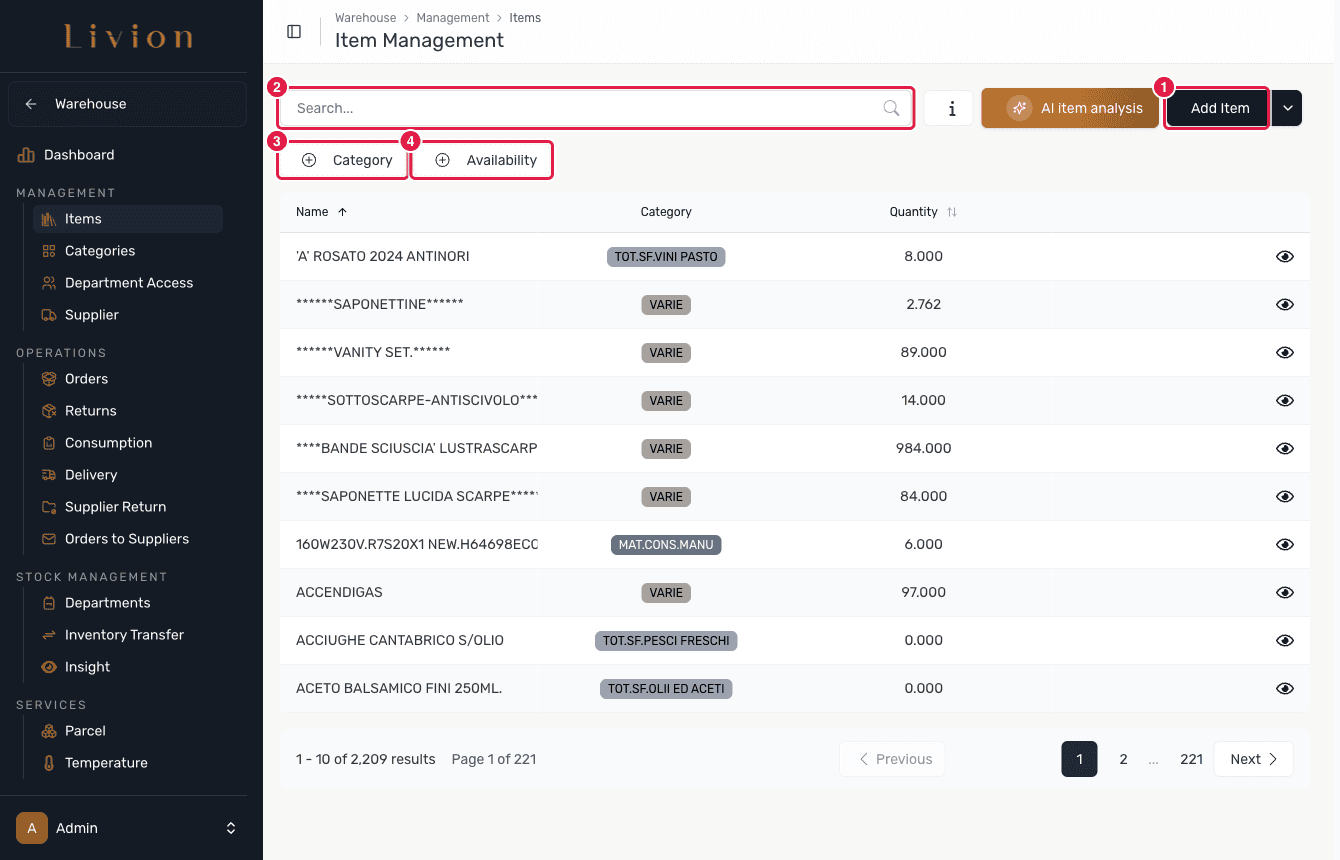
In the Warehouse module open Management → Items. The page lists every catalogue item with its category and current quantity. Use the search box to find an item by name, or narrow the list with the Category and Availability filters.
Add an item
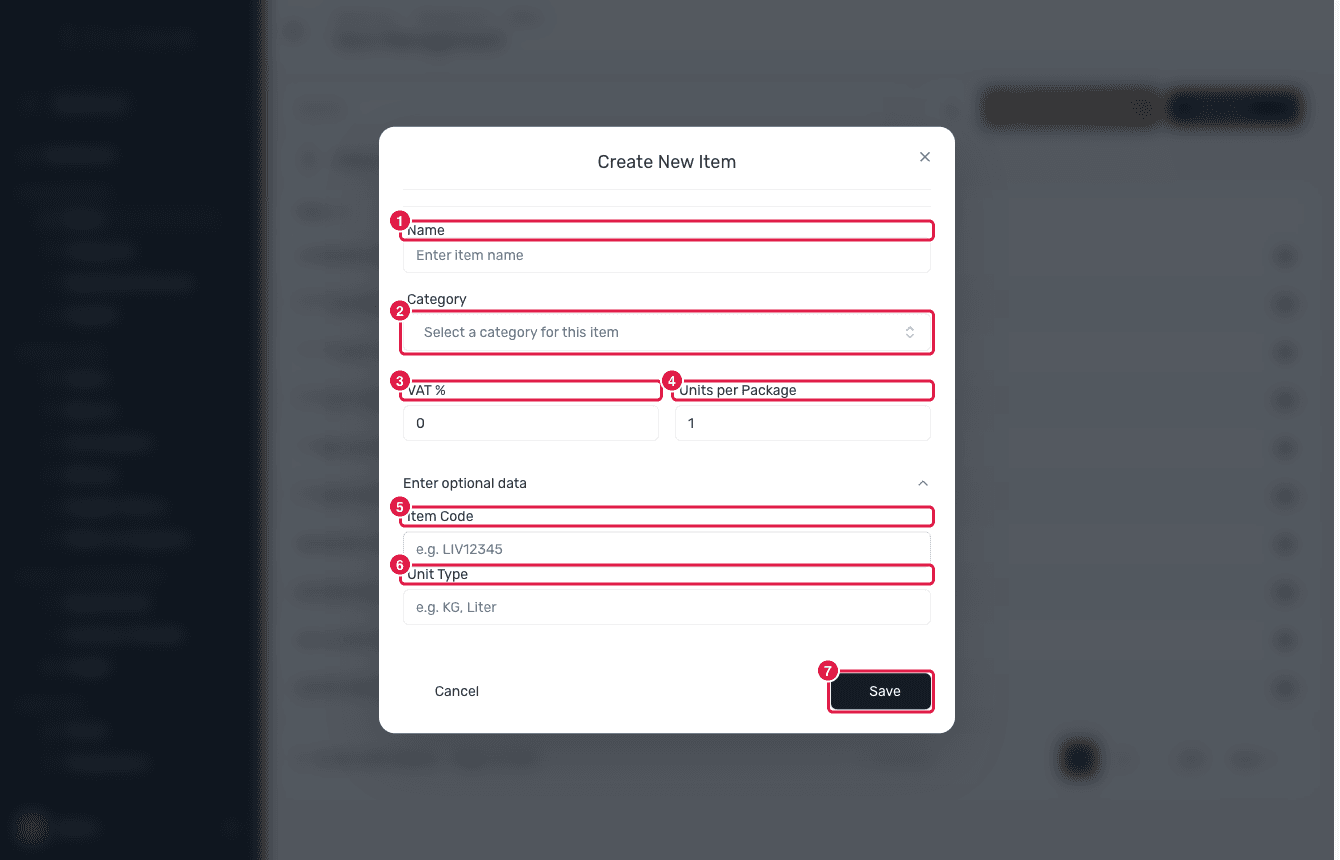
Click Add Item and complete the form. Name and Category are
required; the category drop-down is searchable. Set the VAT % and
Units per Package, and optionally expand Enter optional data to add an
Item Code and a Unit Type (for example KG or Liter). Click Save.
Inspect, edit or delete an item
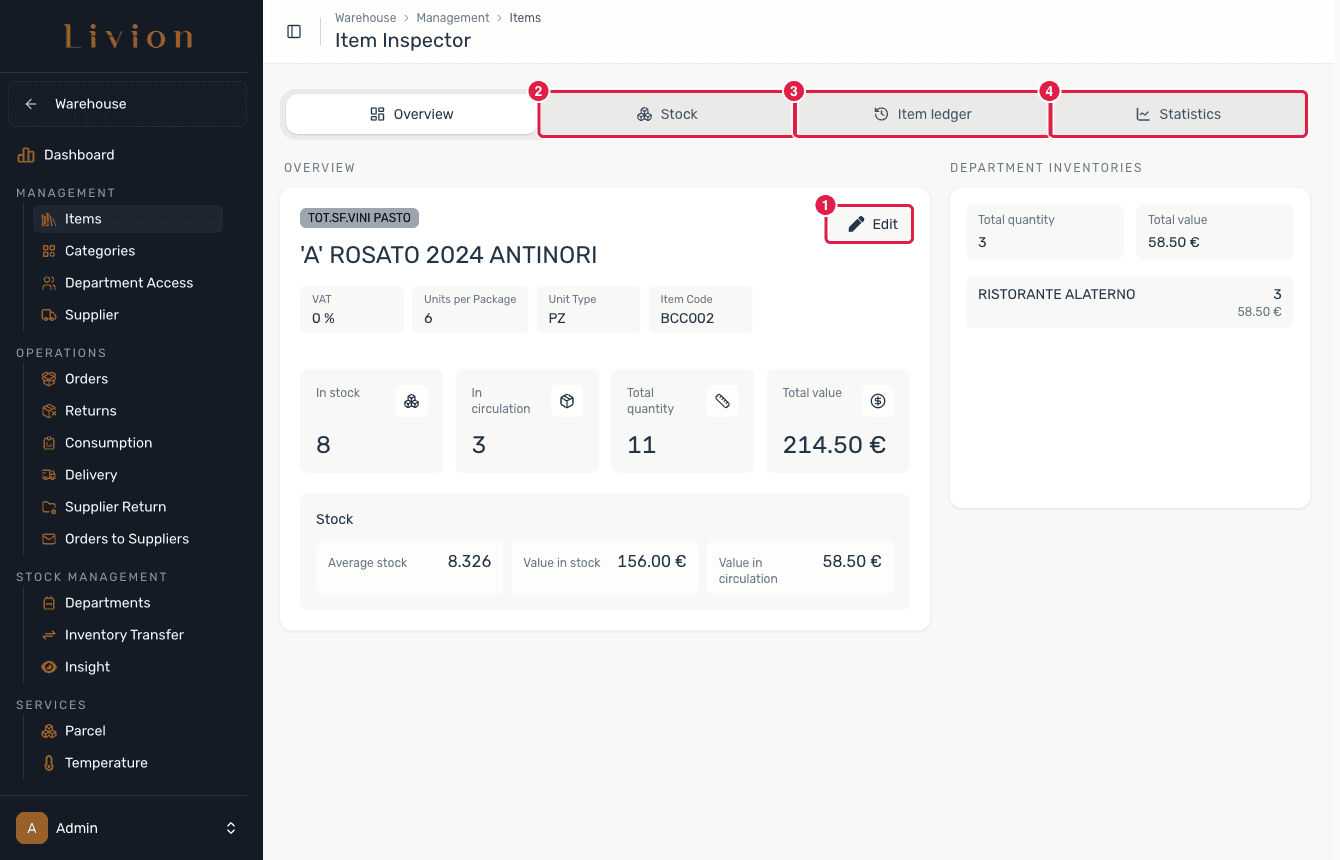
Open an item to reach the Item Inspector. The Overview shows its category, VAT, package size and live stock figures, and the Stock, Item ledger and Statistics tabs break down where the item sits and how it has moved. Use Edit to change the item's details, or delete it from the edit dialog.
Edit an item's stock
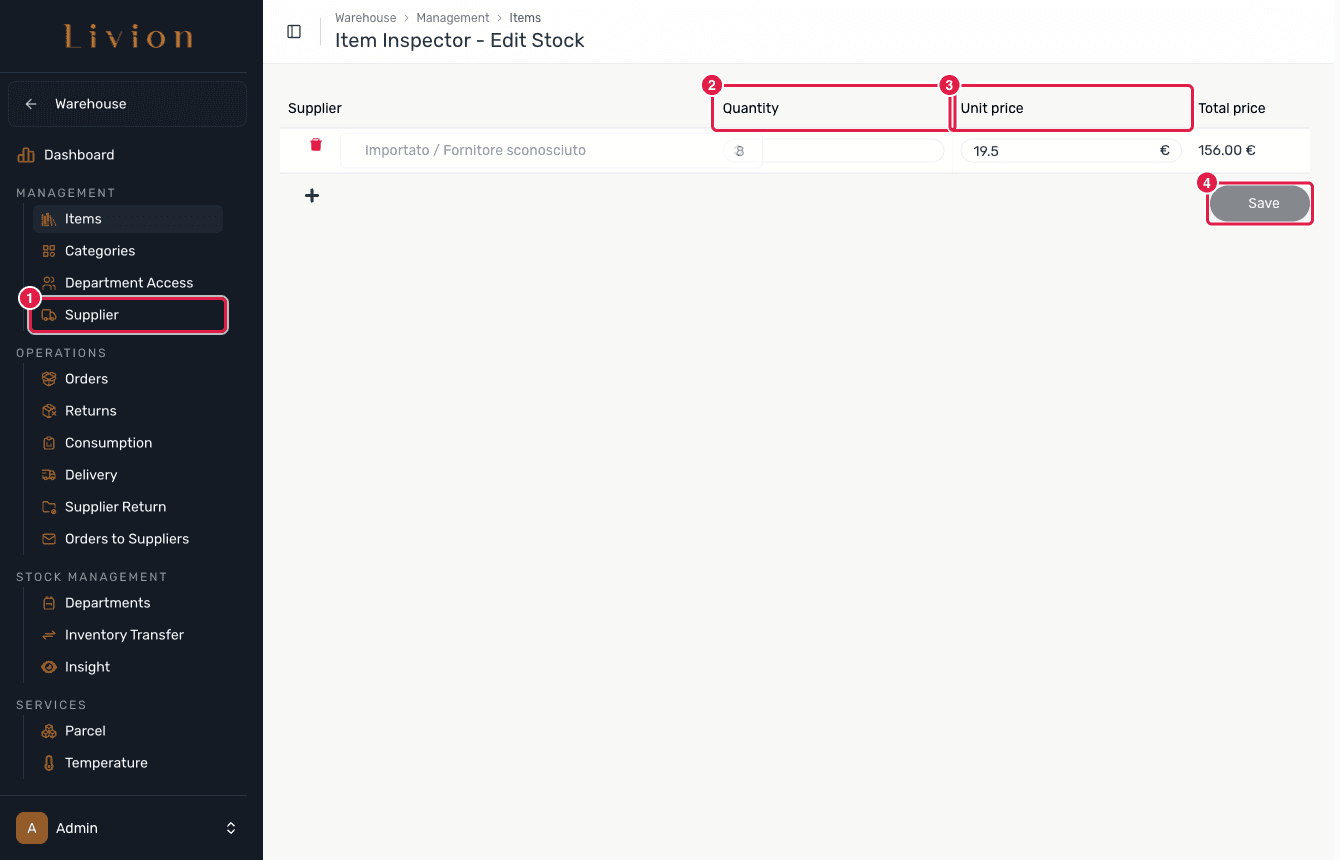
From the Item Inspector open Edit Stock to adjust the item's stock rows per supplier — each row carries a supplier, a quantity and a unit price. Saving records warehouse stock transactions (a manual stock manipulation) that feed the item ledger.
Run an AI item analysis
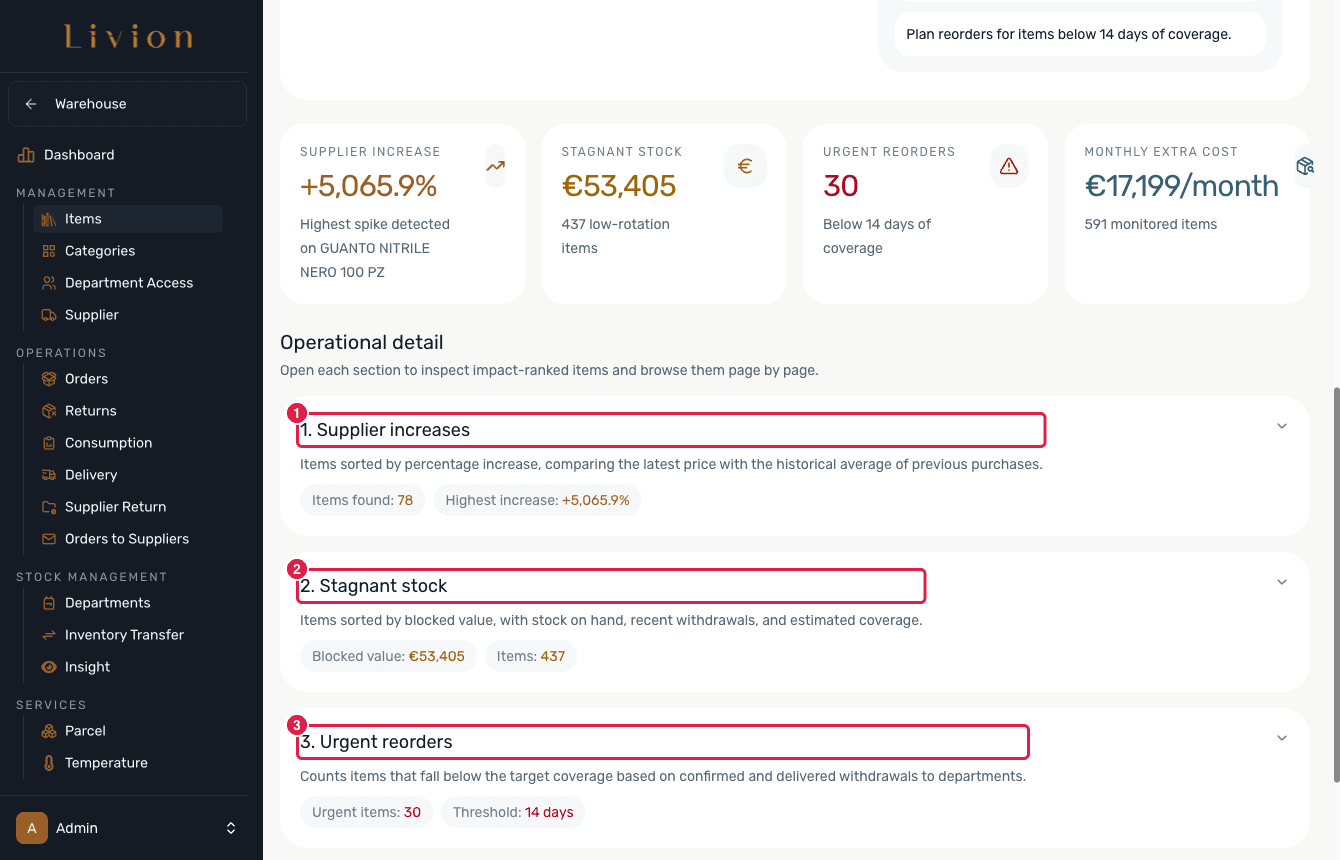
From the item list open AI item analysis and click Create Report to compute four sections: 1 Supplier increases, 2 Stagnant stock, 3 Urgent reorders and 4 Monthly extra cost. It analyses your existing warehouse data and stores a report.
What happens next
- Saving creates or updates a catalogue item that every department can use.
- A new item starts at zero stock; quantities change only when stock movements (deliveries, transfers, consumption, returns) are recorded against it, and each movement appears in the item's ledger.
- Editing stock records warehouse stock transactions and appears in the ledger; it is blocked while a stock job is running.
- The AI item analysis only reads existing data and stores a report — it writes no stock movements.
Deleting an item is a reversible soft delete: the item is hidden so departments can no longer interact with it, but its history is kept and it can be restored at any time.