

Categories
Organise warehouse items into a colour-coded category hierarchy.
Categories give your warehouse catalogue its structure. Every item belongs to a category, and categories can be nested into a hierarchy, so a large catalogue stays organised for the catalogue, department access and reporting.
warehouse role.Managing categories requires the Warehouse administrator permission.
How it works
Open Categories
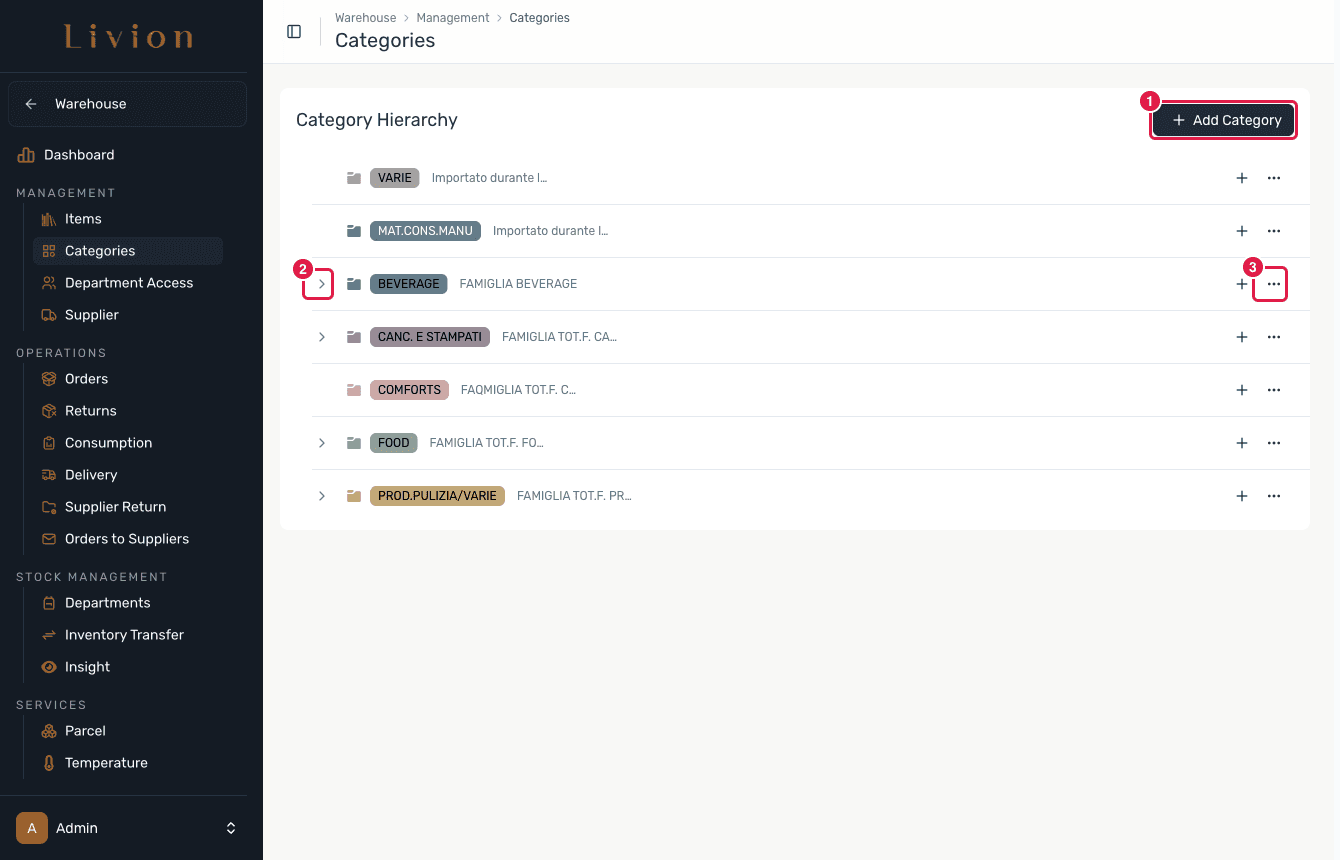
In the Warehouse module open Management → Categories. Categories are shown as a Category Hierarchy: each row carries a colour and an optional description, top-level categories can be expanded to reveal their subcategories, and every row has an add subcategory control and an actions menu.
Create or edit a category
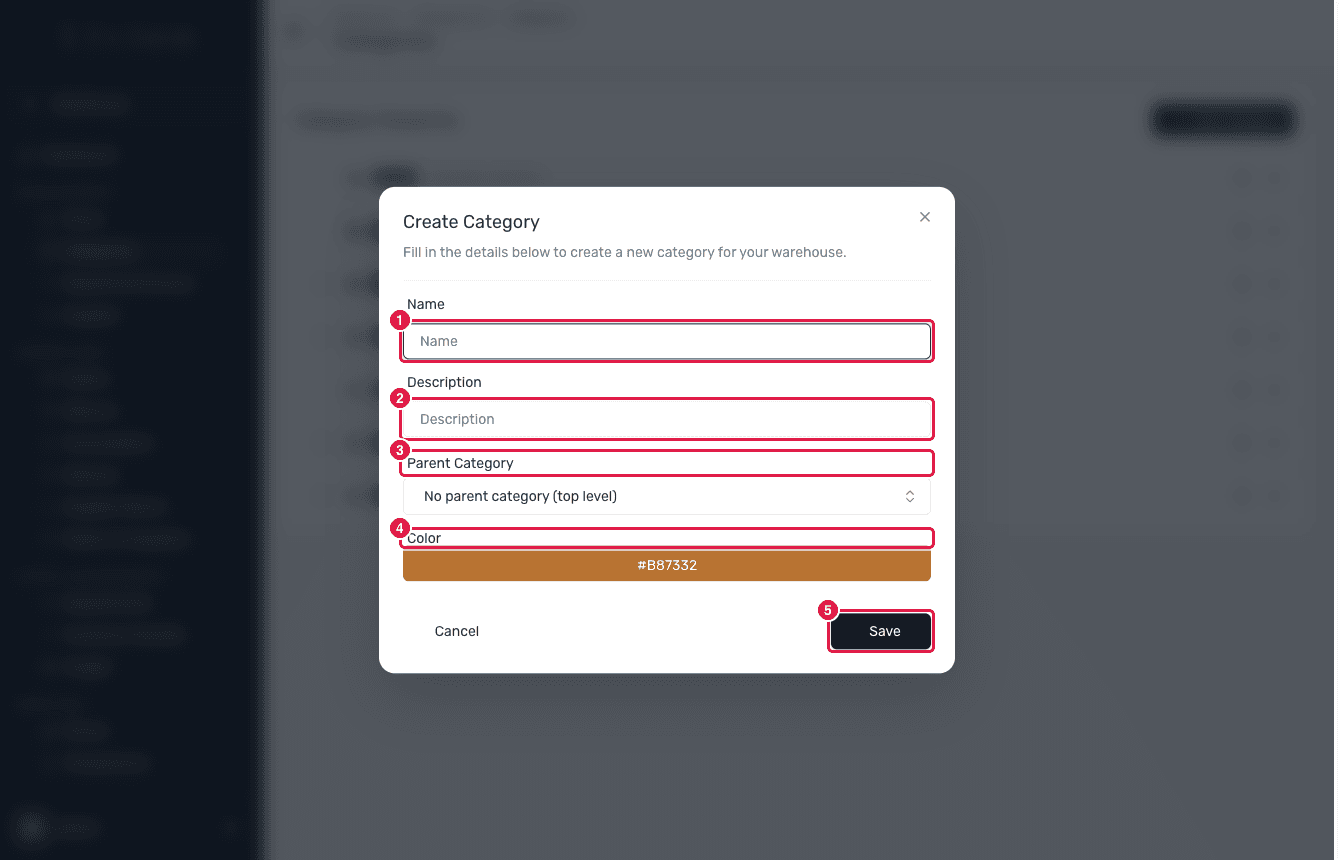
Click Add Category (or add subcategory on a row) and fill in the Name, an optional Description, an optional Parent Category to nest it, and a Color. Click Save. To change a category later, open its actions menu and choose Edit.
Delete a category
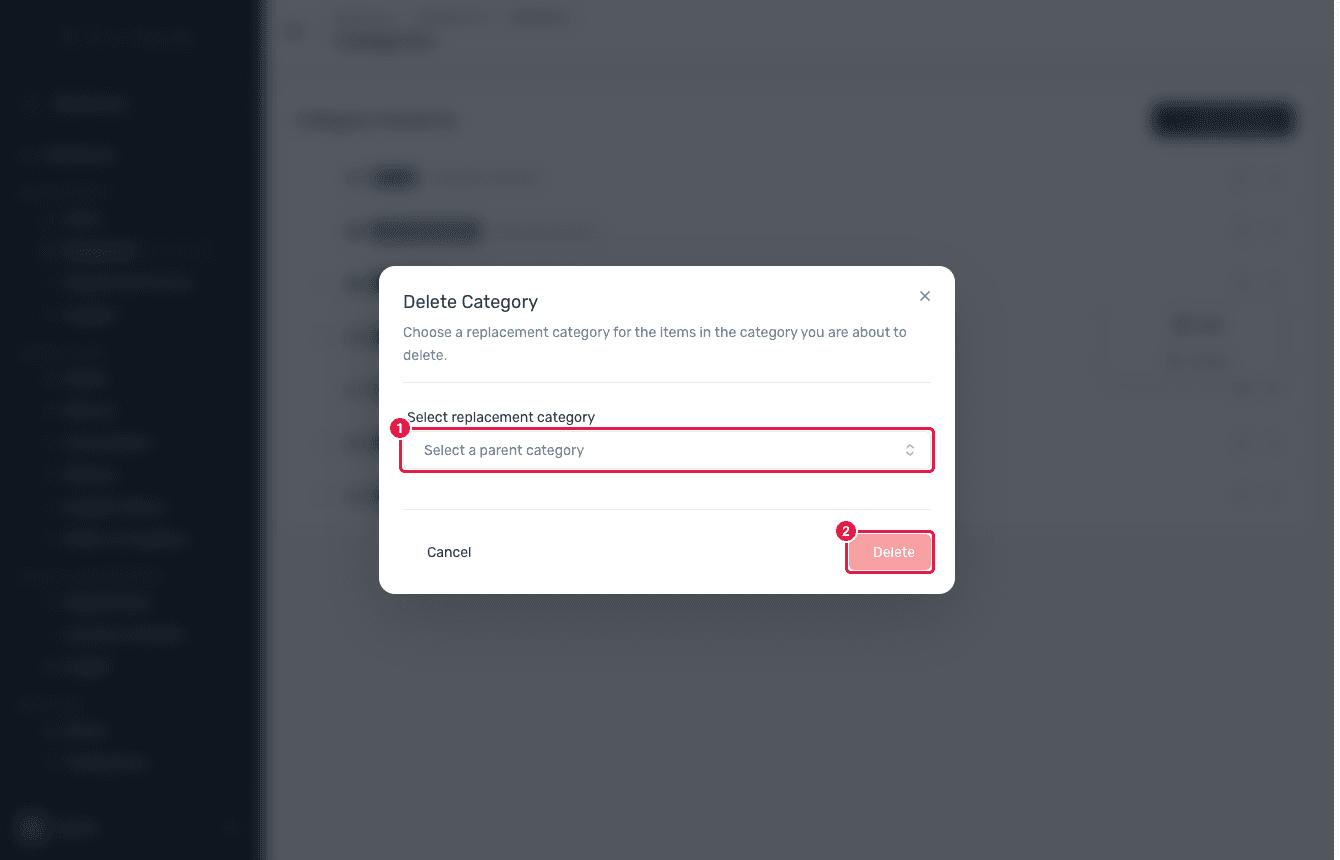
From a category's actions menu choose Delete. Because items cannot be left without a category, you must pick a replacement category before the delete button enables — every item, subcategory and department link from the deleted category is moved to the replacement.
What happens next
- Saving creates or updates a category that is immediately available when creating or editing items.
- Deleting a category reassigns its items and subcategories to the replacement you chose, and adds that replacement to any department that had the deleted category, so nothing is left uncategorised.
A category can only be deleted once you select a replacement for its contents. You cannot delete the very last category, because there would be nothing to reassign its items to.