

Parcels Management
This tool allows you to enter parcel arrival information.
Parcels Management is a simple log of incoming parcels, so a Warehouse administrator can keep a record of what arrived, when and from whom.
warehouse role.Logging parcels requires the Warehouse administrator permission.
How it works
Register a parcel
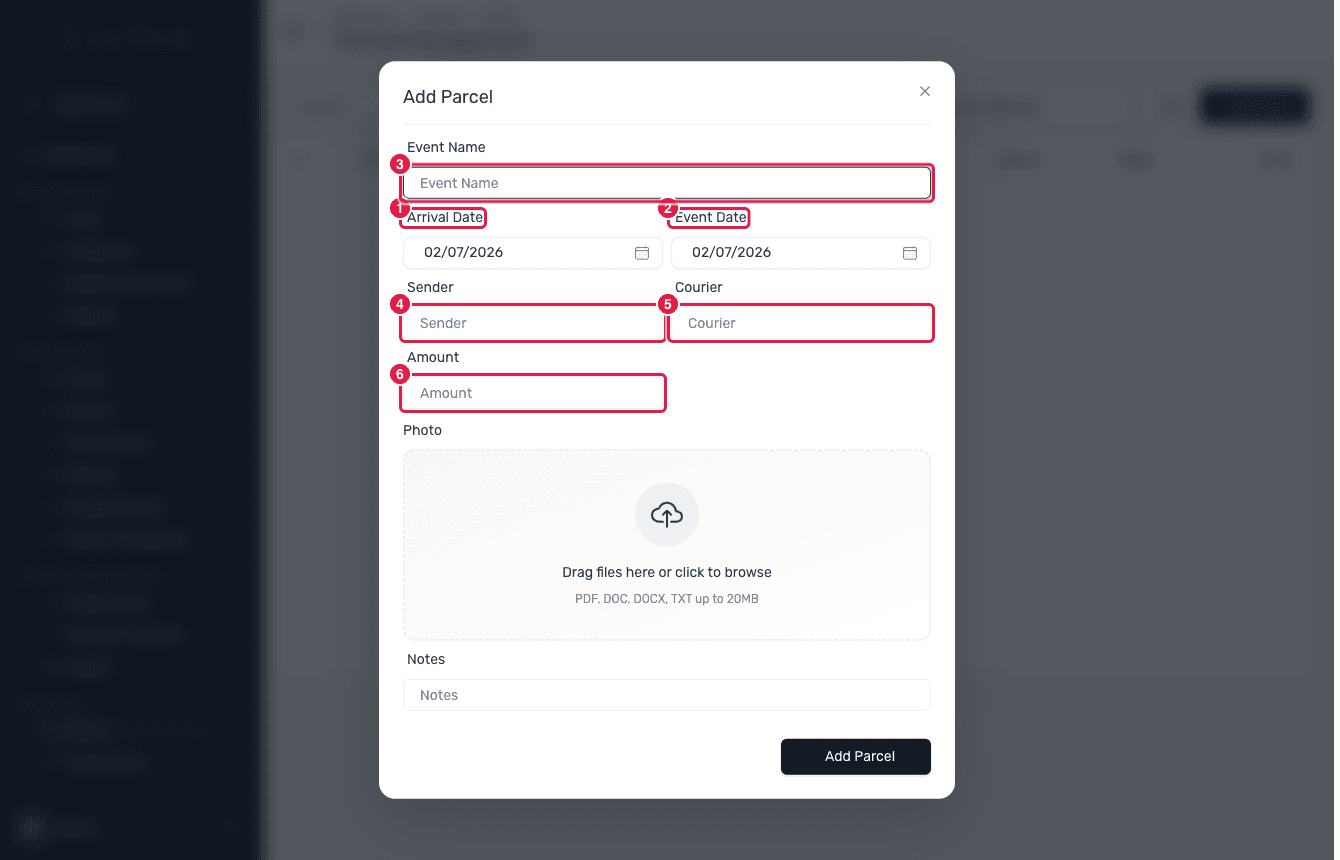
In the Warehouse module open Services → Parcels. It is a single page — no tabs. Click Add Parcel to open the register form as a dialog and fill in the Event Name, Arrival Date, Event Date, Sender, Courier, Amount, an optional Photo and Notes. Save to add it to the log. (There is no Status field on the form; Status — Stocked or Outgoing — is only a column in the table.)
Review the parcels table
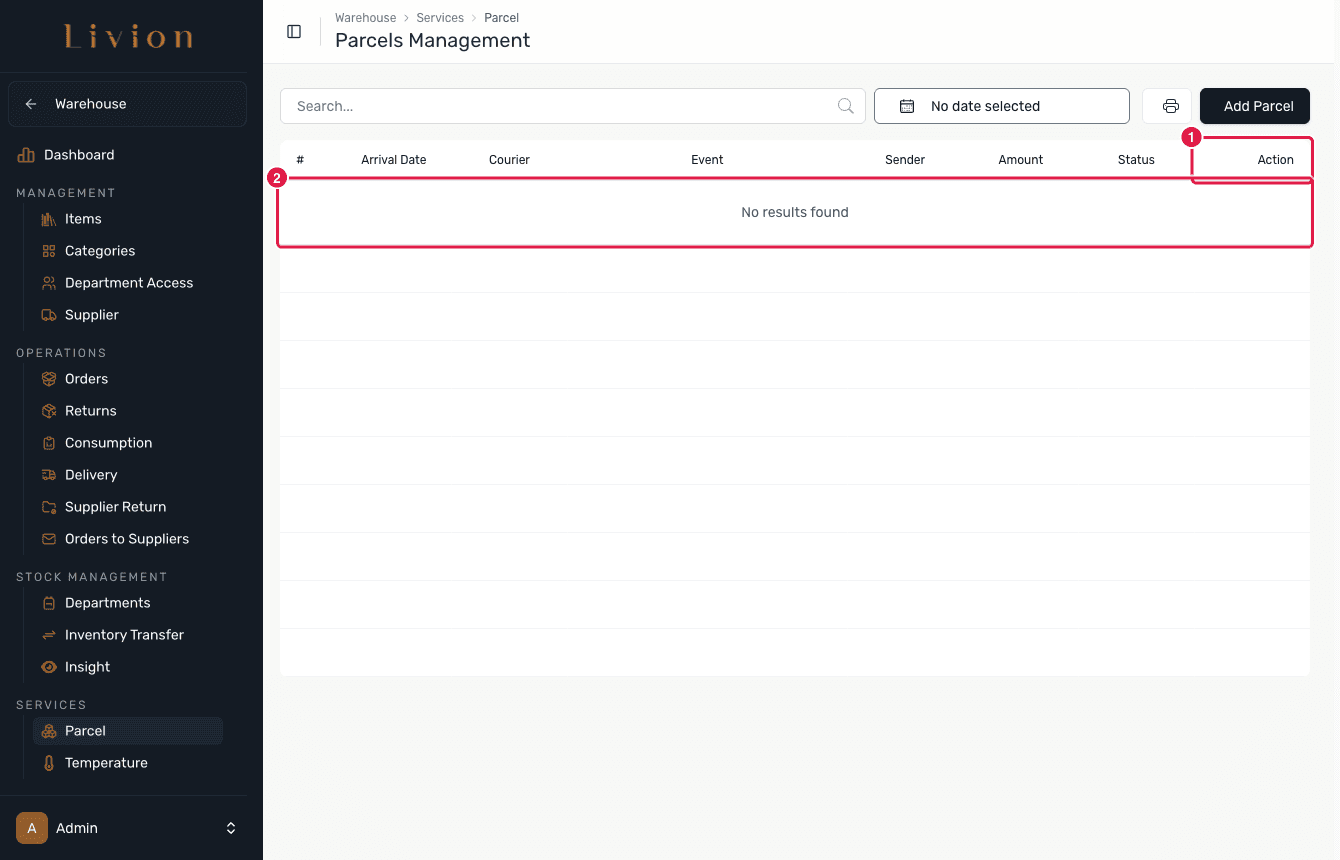
The page lists every logged parcel, with Status (Stocked / Outgoing) as a column. From here you can Edit a parcel's details or Delete it; deleting is a soft-delete and asks you to confirm because this action cannot be undone.
Print the log
Use Print Mode to produce a printable PDF summary of the parcel log for your records.
What happens next
- Saving a parcel adds a row to the parcel log. This log is standalone: it records the arrival for reference and does not create any stock movement or affect the warehouse ledger.
- Deleting a parcel soft-deletes it, so it disappears from the table but the underlying record is retained.
Parcels are a reference log only. Registering a parcel does not add its contents to warehouse or department stock — use a delivery or transfer for that.