

Supplier
Add, remove and edit suppliers
Suppliers are the companies you buy from. Their records feed deliveries, supplier returns and orders to suppliers, and their email addresses are where those documents are sent.
warehouse role.Managing suppliers requires the Warehouse administrator permission.
How it works
Open the supplier list
In the Warehouse module open Management → Supplier. The page lists your suppliers and is searchable and paginated, so you can find a supplier by name even in a long list.
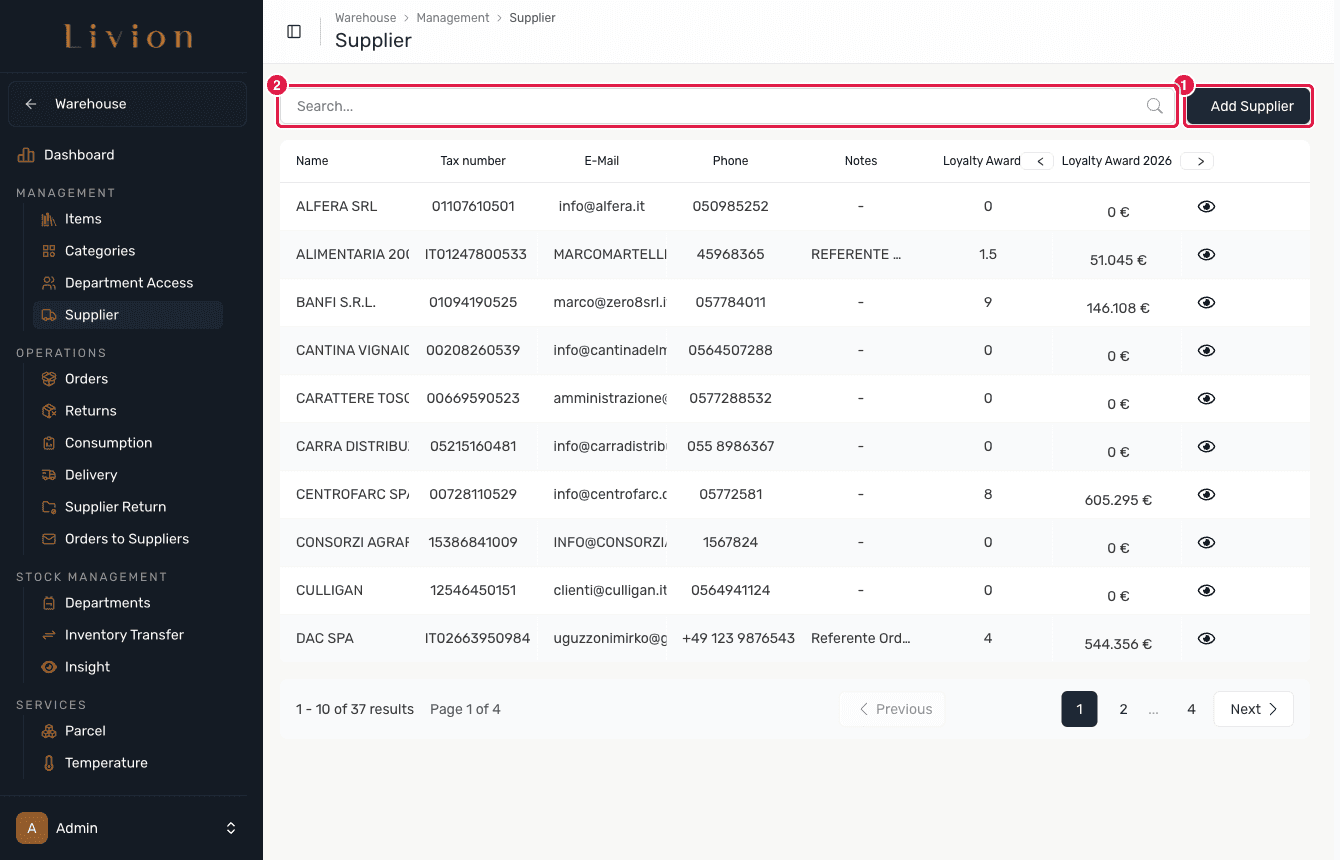
Add a supplier
Click Add Supplier and complete the form. Name and Address are required. You can also record contact details (phone, email), tax info (tax number), the full address (country, city, state, ZIP, street, number), free-text notes and a Loyalty Award percentage. Save to create the supplier.
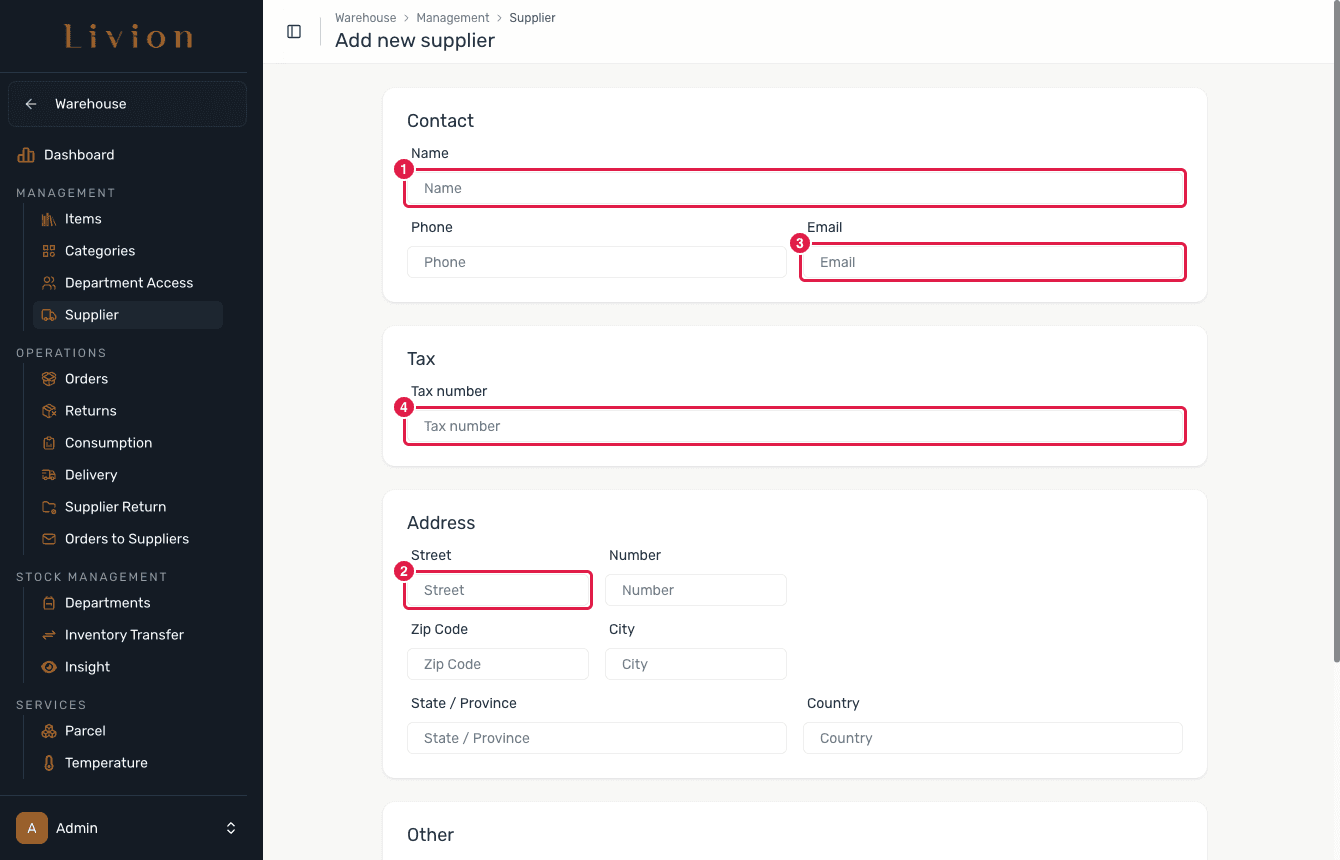
Edit or delete in the Supplier Inspector
Open a supplier to reach the Supplier Inspector. From here you can edit its details or delete the supplier. Deleting is a soft delete: the record is kept but hidden from lists, so the documents that reference it stay intact.
What happens next
- Saving creates or updates a supplier record that becomes selectable when you record deliveries, supplier returns and orders to suppliers.
- The supplier's email address is used to send supplier-return and orders-to-suppliers emails.
- Creating, editing or deleting a supplier has no effect on stock — it only changes the supplier record.
Deleting a supplier is a soft delete: the record is retained and hidden from lists rather than erased, so existing deliveries, returns and orders that reference it are preserved.